CCTV PRACTICAL LAB
PRACTICAL MODULE / ACTIVITY 04
ACTIVITY 04 · MONITORING OFFICE

Commission & Troubleshoot

Three cameras are live but CAM-03 shows NO SIGNAL. Trace the fault with the cable tester, re-terminate the bad connector, and complete commissioning — the course's troubleshooting loop end-to-end.

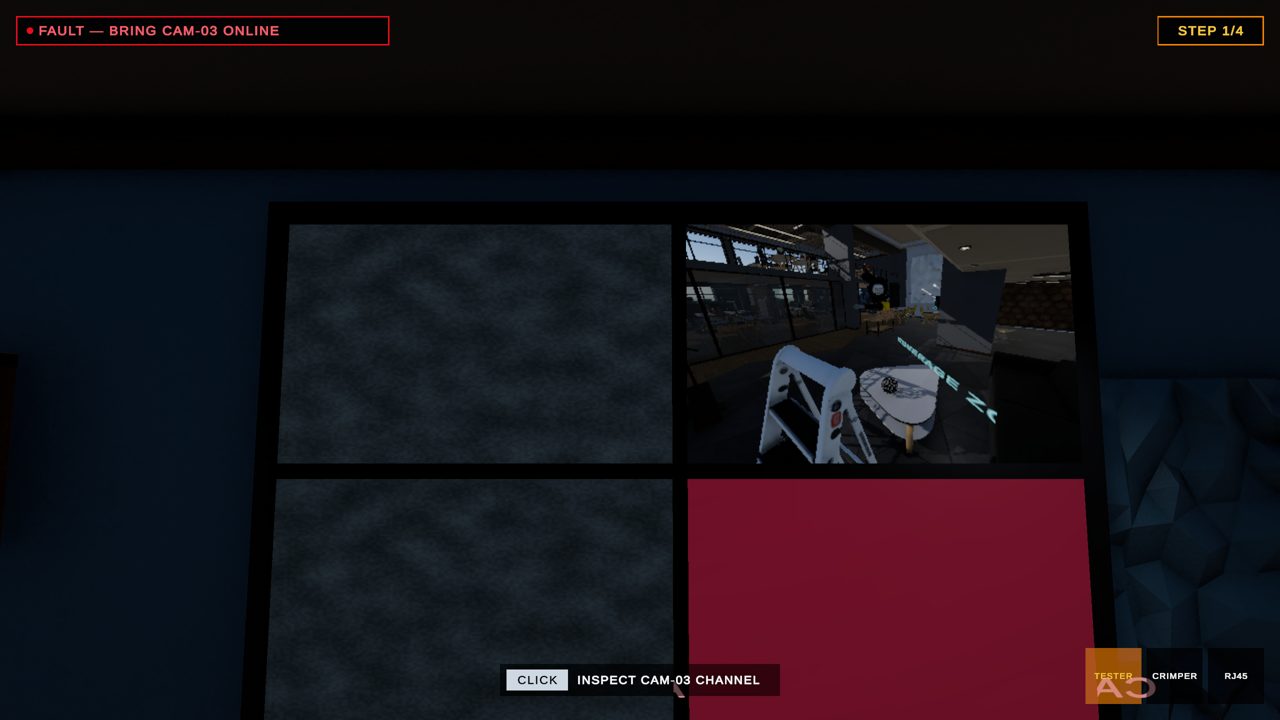
4.1 — THE VIDEO WALL: CAM-01 SHOWS ITS REAL LIVE FEED, CAM-03 IS FLAGGED RED — NO SIGNAL

STEP 1 — THE FAULT APPEARS

At the monitoring wall: three live tiles, one dead channel flagged red. The objective flips to fault-finding mode with no hint about where the break is.

UX · the fault location is randomized per run — the diagnosis is real, not memorized

STEP 2 — TRACE THE CAM-03 RUN

Walk the cable run and test at the wall points with the same tester from Activity 02. LED 3 stays dark — OPEN PAIR · LINE 3 — and a marker pins the faulty segment with its distance from the rack.

UX · skills compound: the tester you learned is now a diagnostic tool

STEP 3 — CUT, RE-TERMINATE, RE-TEST

A faster version of the Activity 02 mini-game: cut off the miswired plug, order to T568B, crimp, and re-test on the spot until it reads PASS.

UX · repairs reuse learned mechanics at higher speed — the mastery loop

STEP 4 — COMMISSIONED

All four tiles live. The commissioning checklist closes — 4/4 channels, recording OK, fault log filed — and the module badge unlocks with per-activity scores.
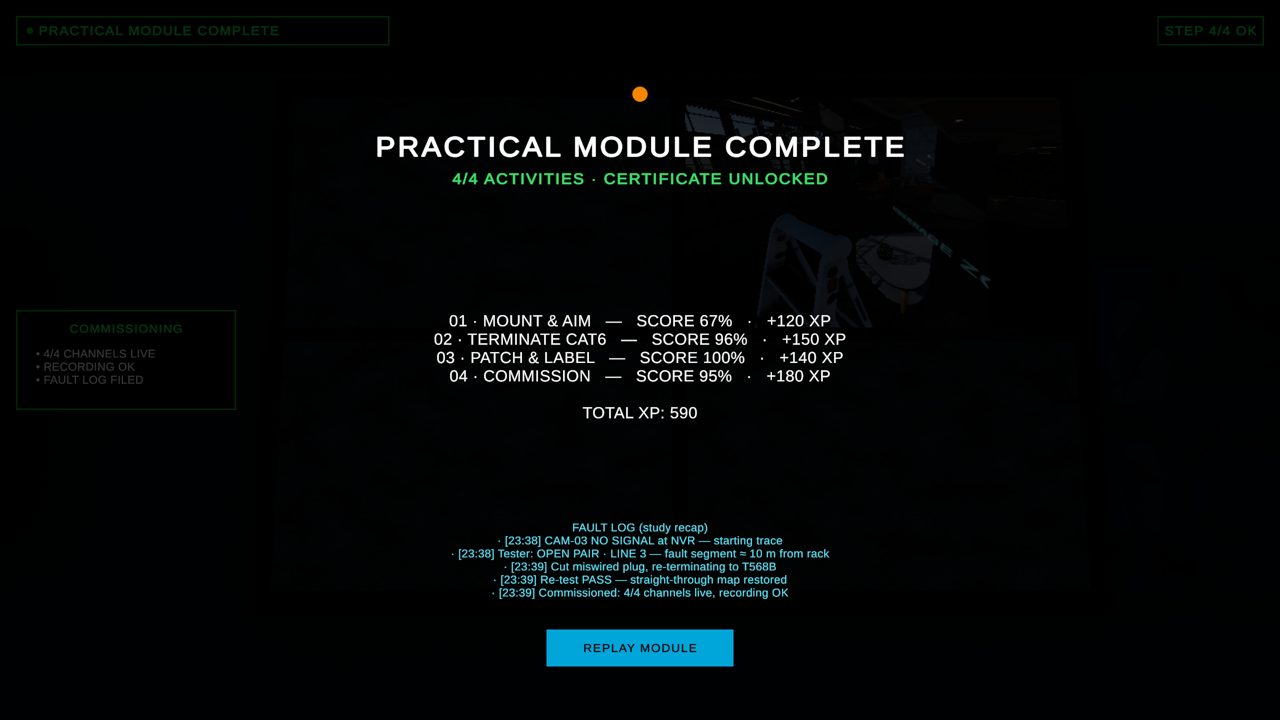
UX · the fault log doubles as an exportable study recap
4.4 — PRACTICAL MODULE COMPLETE: PER-ACTIVITY SCORES, TOTAL XP AND THE FAULT-LOG RECAP

FROM THE COURSE

Testing & commissioning; troubleshooting & maintenance. The commissioning checklist mirrors the course's handover discipline: verify every channel, confirm recording, file the fault log.

← 03 · PATCH & LABEL05 · NVR SETUP (DESIGN) →